Android gingerbread 2.3.1 on Nokia N900 step by step installation guide A step-by-step Android installation guide for Nokia N900 Users
Things you will Need:
1: Your nokia n900
2: Any Micro SD card (i used a 2GB)
---------------------
For this installation you need to Enable all repositories from App Manager (you need to input those information manually and be precise):
The configuration below is for N900 up to firmware PR 1.1.1:
Application manager --> Application catalogs --> New
Catalog name: maemo.org
Web address: Index of /extras
Distribution: fremantle
Components: free non-free
----------------------
The configuration below is for N900 for firmware PR 1.2:
Application manager --> Application catalogs --> New
Catalog name: maemo.org
Web address: Index of /extras
Distribution: fremantle-1.2
Components: free non-free
-----------------------
The configuration below is for N900 for firmware PR 1.3:
Application manager --> Application catalogs --> New
Catalog name: maemo.org
Web address: Index of /extras
Distribution: fremantle-1.3
Components: free non-free
------------------------
Second step :Install rootsh from app manager or from this site : maemo.org - Downloads: Rootsh
-------------------------
Third step we will use X-terminal (here get your fingers ready :P )
basic commands used : root( to give root access) ls (list files in a folder or directory) mkdir (create directory) rmdir (removes directory this command is specially used if you Used any NITDroid before and created AND directory in the root of the phone) Ok lets get started Type in X-terminal :
root
apt-get update (to download packages needed make sure you are connected to internet )
apt-get install nitdroid-installer
y
y (if its asks again)
-------------------------------------
After this you have to download two files on your PC:
1st file : http://downloads.nitdroid.com/e-yes/gingerbread.tar.bz2
2nd file: http://downloads.nitdroid.com/nitins...nal1_armel.deb
-------------------------------------
Once you downloaded those files make sure you copy them to the root phone memory ( once you connect it to the pc tap the mass storage mode and just copy them to the phone memory for example lets say its H: just open H: and copy it there)or for other users they can copy it anywhere as long as they put the path correctly
--------------------------------------
After you have successfully copied the files open the x-terminal and type NOTE:be precise and take care for space)
root
cd /home/user/MyDocs (cd(space)/home/user/MyDocs)
bzip2 -d gingerbread.tar.bz2 (bzip2(space)-d(space)gingerbread.tar.bz2) WAIT
cd /home (cd(space)/home)
mkdir /and (mkdir(space)/and)
cd / (cd(space)/)
mount /home /and (mount(space)/home(space)/and)
cd /and (cd(space/and)
tar xvf /home/user/MyDocs/gingerbread.tar (tar(space)xvf(space)/home.......or the path you put the file in
dpkg -i /home/user/MyDocs/nitdroid-kernel-2.6.28-06_final1_armel.deb (write this one like this as it here with all spaces / _ . -
-----------------------------------------------------------
Now You have to install two more updates to Patch some Bugs in the OS.
First Is Codec Update:http://downloads.nitdroid.com/e-yes/...pdate1.tar.bz2
second VOIP update :http://downloads.nitdroid.com/e-yes/...pdate2.tar.bz2
copy both files in directory like the before 2 files
------------------------------------------------------------
After downloading both the files Again open X-terminal and type
root
mount /home /and
cd /home/user/MyDocs
bzip2 -d gingerbread_update1.tar.bz2
cd /and
tar xvf /home/user/MyDocs/gingerbread_update2.tar
Make sure you install the updates correctly.
-------------------------------------------------
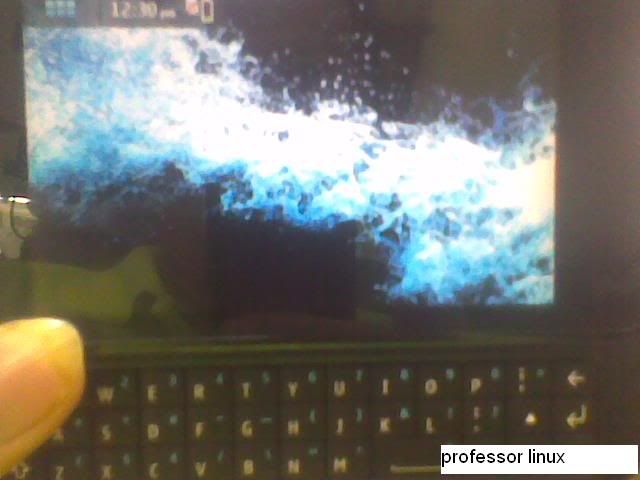
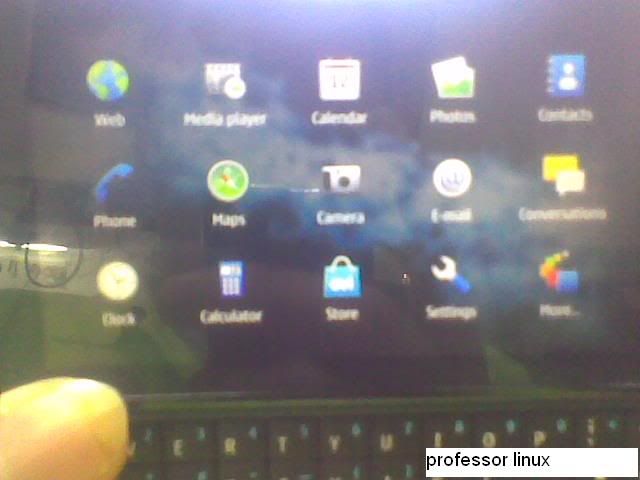
After the updates are installed you are done Installing Android Gingerbread On your Nokia n900 . just slide open your keyboard and reboot your phone. you will get a Dual Boot Option screen Select Nitdroid And Unleash the Gingerbread Power.
Things you will Need:
1: Your nokia n900
2: Any Micro SD card (i used a 2GB)
---------------------
For this installation you need to Enable all repositories from App Manager (you need to input those information manually and be precise):
The configuration below is for N900 up to firmware PR 1.1.1:
Application manager --> Application catalogs --> New
Catalog name: maemo.org
Web address: Index of /extras
Distribution: fremantle
Components: free non-free
----------------------
The configuration below is for N900 for firmware PR 1.2:
Application manager --> Application catalogs --> New
Catalog name: maemo.org
Web address: Index of /extras
Distribution: fremantle-1.2
Components: free non-free
-----------------------
The configuration below is for N900 for firmware PR 1.3:
Application manager --> Application catalogs --> New
Catalog name: maemo.org
Web address: Index of /extras
Distribution: fremantle-1.3
Components: free non-free
------------------------
Second step :Install rootsh from app manager or from this site : maemo.org - Downloads: Rootsh
-------------------------
Third step we will use X-terminal (here get your fingers ready :P )
basic commands used : root( to give root access) ls (list files in a folder or directory) mkdir (create directory) rmdir (removes directory this command is specially used if you Used any NITDroid before and created AND directory in the root of the phone) Ok lets get started Type in X-terminal :
root
apt-get update (to download packages needed make sure you are connected to internet )
apt-get install nitdroid-installer
y
y (if its asks again)
-------------------------------------
After this you have to download two files on your PC:
1st file : http://downloads.nitdroid.com/e-yes/gingerbread.tar.bz2
2nd file: http://downloads.nitdroid.com/nitins...nal1_armel.deb
-------------------------------------
Once you downloaded those files make sure you copy them to the root phone memory ( once you connect it to the pc tap the mass storage mode and just copy them to the phone memory for example lets say its H: just open H: and copy it there)or for other users they can copy it anywhere as long as they put the path correctly
--------------------------------------
After you have successfully copied the files open the x-terminal and type
NOTE:be precise and take care for space)root
cd /home/user/MyDocs (cd(space)/home/user/MyDocs)
bzip2 -d gingerbread.tar.bz2 (bzip2(space)-d(space)gingerbread.tar.bz2) WAIT
cd /home (cd(space)/home)
mkdir /and (mkdir(space)/and)
cd / (cd(space)/)
mount /home /and (mount(space)/home(space)/and)
cd /and (cd(space/and)
tar xvf /home/user/MyDocs/gingerbread.tar (tar(space)xvf(space)/home.......or the path you put the file in
dpkg -i /home/user/MyDocs/nitdroid-kernel-2.6.28-06_final1_armel.deb (write this one like this as it here with all spaces / _ . -
-----------------------------------------------------------
Now You have to install two more updates to Patch some Bugs in the OS.
First Is Codec Update:http://downloads.nitdroid.com/e-yes/...pdate1.tar.bz2
second VOIP update :http://downloads.nitdroid.com/e-yes/...pdate2.tar.bz2
copy both files in directory like the before 2 files
------------------------------------------------------------
After downloading both the files Again open X-terminal and type
root
mount /home /and
cd /home/user/MyDocs
bzip2 -d gingerbread_update1.tar.bz2
cd /and
tar xvf /home/user/MyDocs/gingerbread_update2.tar
Make sure you install the updates correctly.
-------------------------------------------------
After the updates are installed you are done Installing Android Gingerbread On your Nokia n900 . just slide open your keyboard and reboot your phone. you will get a Dual Boot Option screen Select Nitdroid And Unleash the Gingerbread Power.